
Dispatch Software for Service Businesses
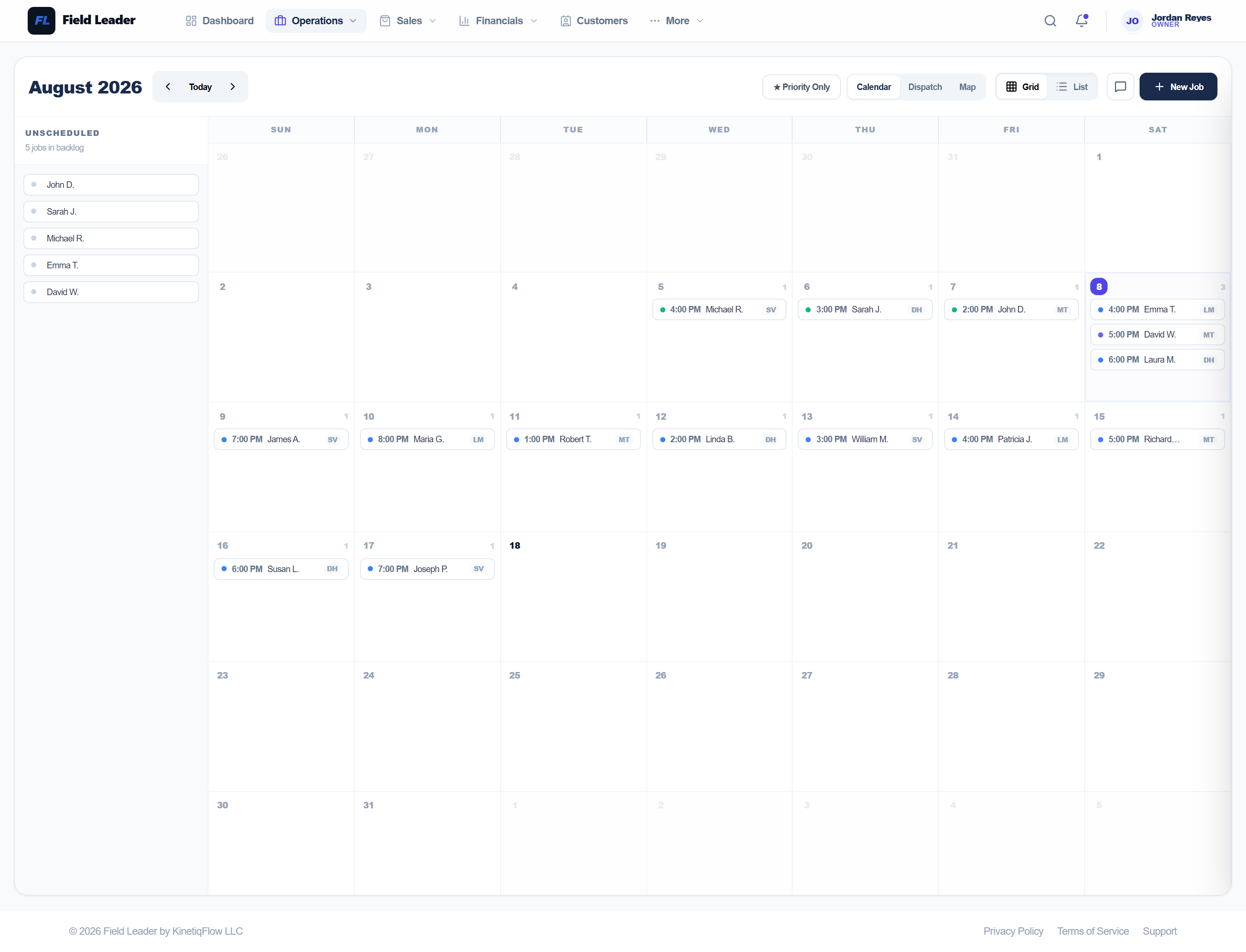
Schedule jobs, assign technicians, and track every visit from a single calendar — no group texts, no missed calls, no spreadsheets.
No credit card required
Features
What dispatch software for service businesses actually does
Job Scheduling
Create jobs with a customer, job type, and scheduled time. Jobs appear on the dispatch calendar and stay visible until completed.
Technician Assignment
Assign any team member to any job. Each technician sees their own job queue. You see the full team view from the dispatch calendar.
Job Status Tracking
Jobs move through a defined lifecycle. Technicians update status from the field. You see changes in real time without calling anyone.
How It Works
From start to finish
Job Created
A new job is created with the customer, job type, and scheduled date and time.
Scheduled
The job appears on the dispatch calendar. A technician is assigned.
Dispatched
The technician marks themselves En Route. Status updates instantly for the whole team.
Completed
Job is marked complete. An invoice is generated and sent to the customer for payment.
Related Features
Job Scheduling Software for Service Teams
See every job on a calendar, assign the right technician, and stop missing appointments — without juggling a whiteboard and a group chat.
Invoicing Software for Contractors
Create an invoice, send a payment link, and get paid — without chasing anyone down. Built for HVAC, plumbing, electrical, and landscaping teams.
Work Order Software for Service Businesses
Log the job with customer, address, scope, and line items — then track it from Scheduled to Completed without losing a single detail.
Built For These Industries
HVAC Software for Heating & Cooling Companies
Schedule tune-ups, track maintenance contracts, and get paid for emergency calls the same day.
Plumbing Software for Service & Repair Companies
Dispatch fast on emergency calls and invoice on-site from your phone before you leave the job.
Electrical Contractor Software
Quote the job, get approval, do the work, collect payment — all in the same system.
Landscaping Software for Lawn Care Companies
Keep track of every property, automatically schedule recurring services, dispatch crews, send invoices, and get paid — without the paperwork.
FAQ
Common questions about dispatch software for service businesses
Ready to get started?
Schedule jobs, assign technicians, and track every visit from a single calendar — no group texts, no missed calls, no spreadsheets.
Start FreeNo credit card required